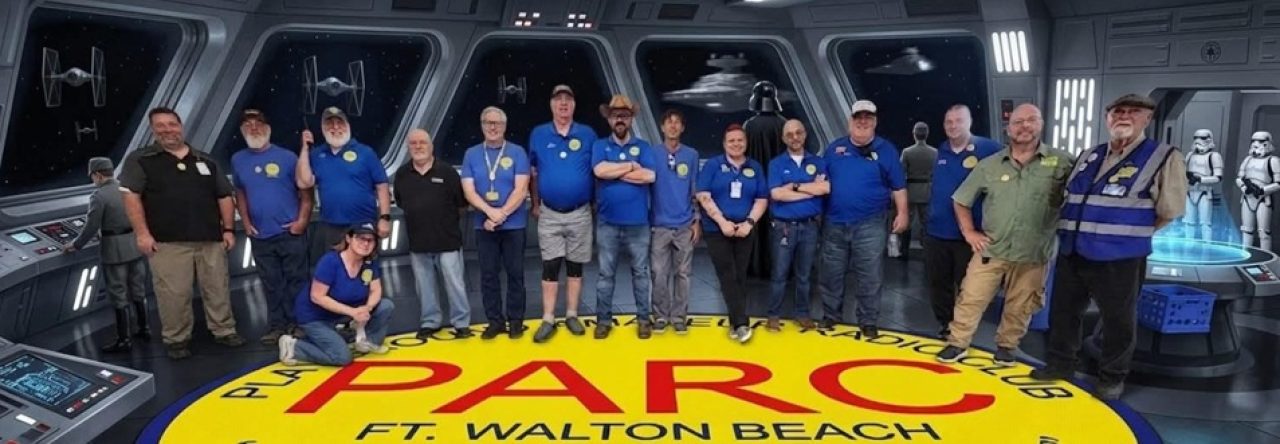
We are proud to announce that you can now connect to 146.79 W4ZBB from your devices via the Allstar Node!
Please read the whole email before you click!!
Follow the directions from N2VLV and KI4ZER!
You need to register for an Allstar Link account with an official copy of your FCC License. Register and follow the instructions:
TO GET AN OFFICIAL COPY OF YOUR LISCENSE: You must login with your FRN.
Instructions:
https://fccprod.servicenowservices.com/wireless?id=kb_article_view_public&sysparm_article=KB0017039
ACTUAL LINK TO DOWNLOAD ELECTRONIC AUTHORIZATIONS -Be Patient, its the FCC Website:
https://wireless2.fcc.gov/UlsEntry/licManager/narli/printlicenses.jsp?action=actionPrint
1st: N2VLV put together a great presentation outlining multiple paths to success!
https://jchonig.github.io/pres-allstar/hotspot.html
2nd: KI4ZER assisted with some instructions identified via other web resources with step-by-step instructions!
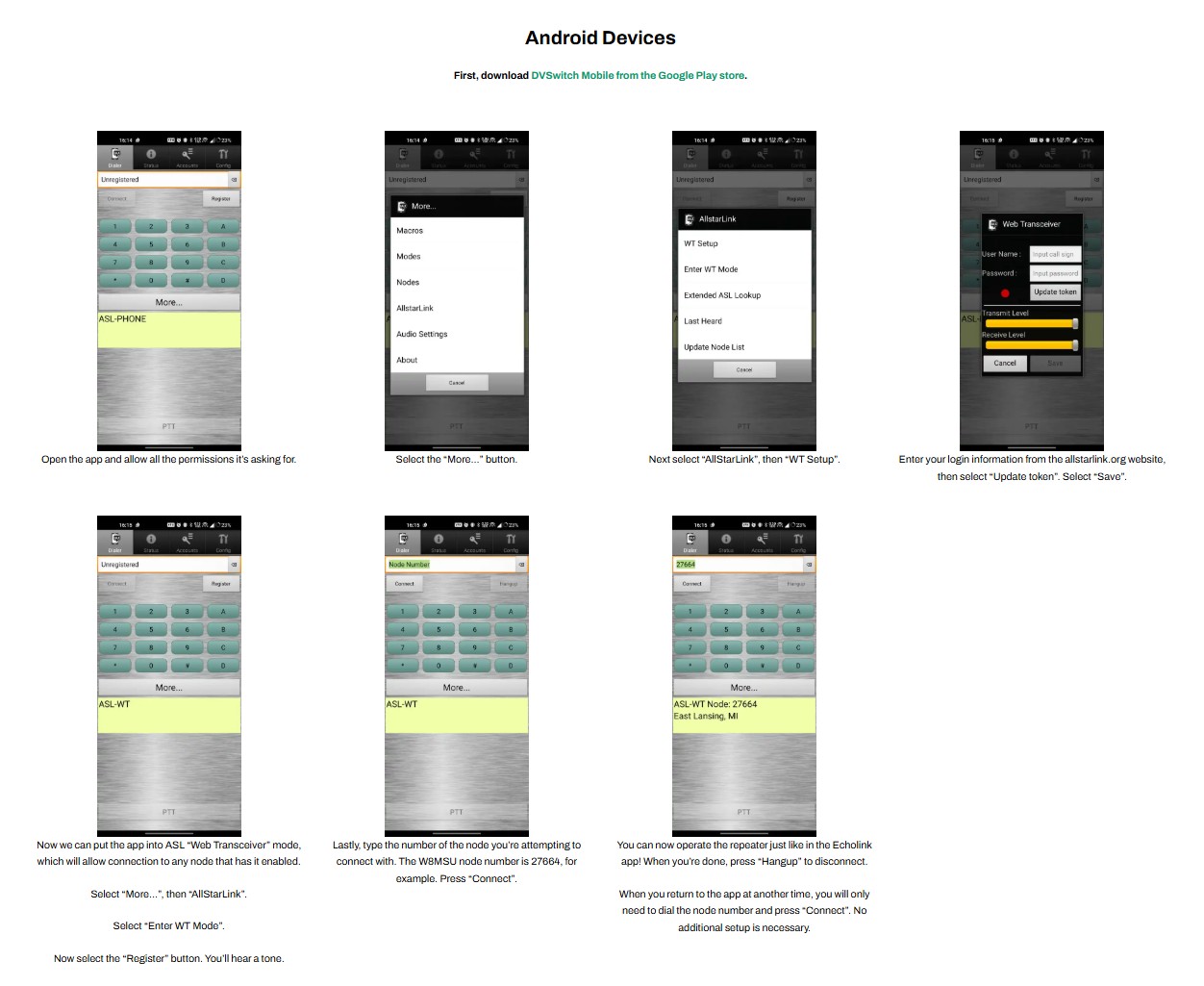
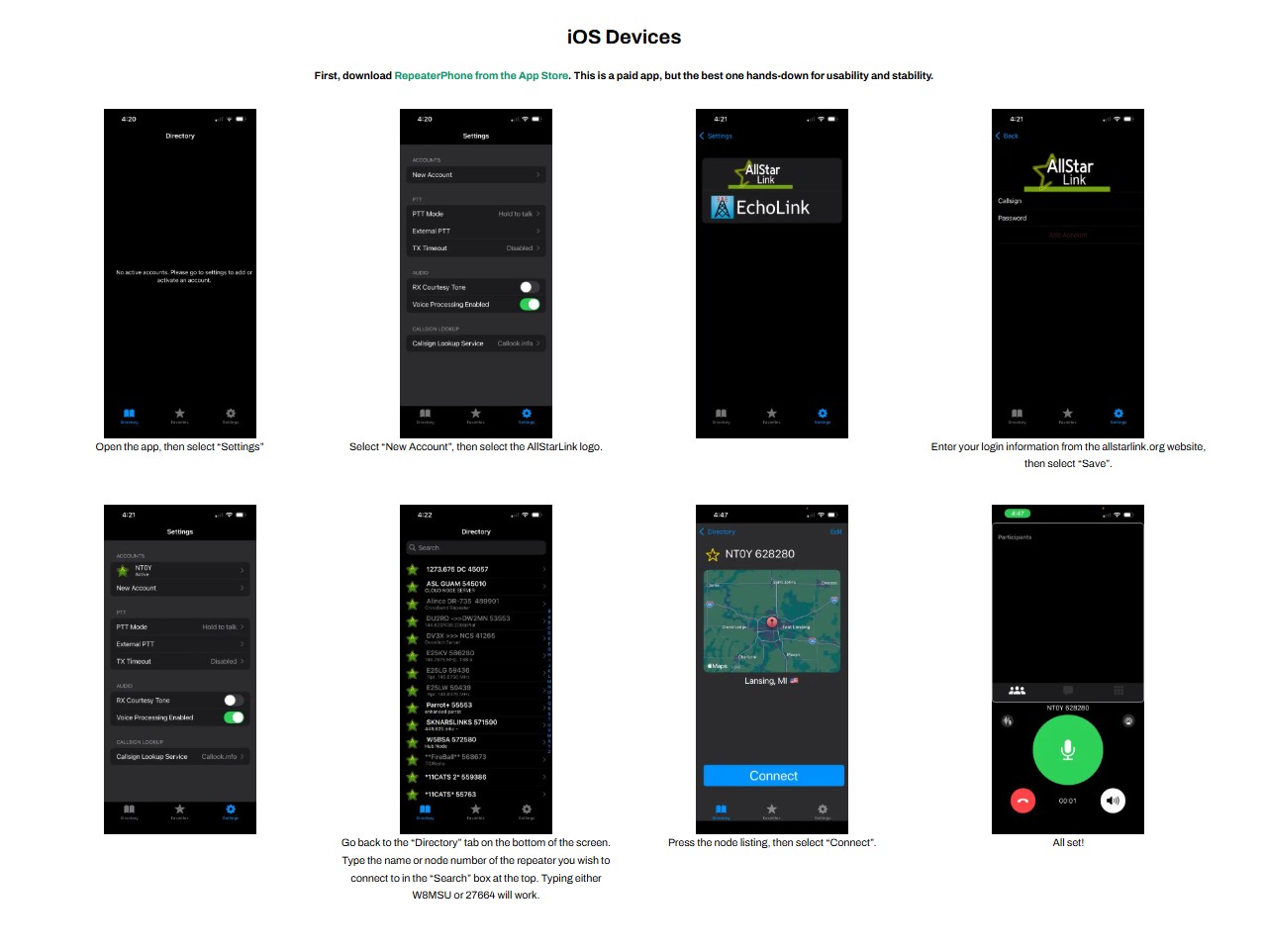
Download DVSwitch Mobile App for Android or RepeaterPhone for ios!
Directions for phones:
https://msuarc.egr.msu.edu/how-to-use-allstar-instead-of-echolink-on-phones/
Node: 687390
Playground Amateur Radio Club—Fort Walton Beach Florida

Leave a Reply
You must be logged in to post a comment.